
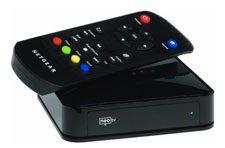
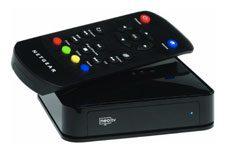
 Netgear's latest entry to the streaming-media market is the NeoTV streaming player (model number NTV200), first introduced in late 2011. The NTV200 grants access to many of the most desirable Web-based services, including video-on-demand from Netflix, Hulu Plus, VUDU, and CinemaNow. It supports a 1080p output resolution and has integrated 802.11n for a wireless network connection, as well as an Ethernet port for a wired connection. The NTV200 is specifically an Internet streaming device; it does not contain a hard drive for local storage of media content, nor does it offer a USB port or SD card slot for media playback. You also cannot stream your personal media from a networked computer or DLNA server. (Netgear offers two media players--the NTV350 and NTV550--that are better suited for personal media storage and playback, but those boxes lack the Internet services that you get here.)
Additional Resources
• Read more media server reviews from HomeTheaterReview.com.
• Find out which media streamer is right for you.
• Explore reviews of LED HDTVs and Plasma HDTVS.
The NTV200's connection panel includes one HDMI output, one optical digital audio output, and an RJ-45 port for Ethernet. It does not offer analog A/V outputs to connect the player to an older, non-HDMI-equipped TV. The player has internal Dolby Digital and Dolby Digital Plus decoding. Measuring 4.5 x 4.5 by 1 inch (LWH), the NTV200 is slightly larger than the Apple TV and Roku 2 boxes, but it's still pretty small and unobtrusive. The box has a glossy black finish and comes with a basic IR remote that includes buttons for Home, Menu, Return, Color options, and a directional keypad. The remote doesn't have a full QWERTY keyboard to speed up the text-entry process, but Netgear does offer an iOS/Android control app that includes a keyboard.
Netgear's list of supported Web services is quite thorough and hits most of the majors. The featured lineup includes Netfix, Hulu Plus, VUDU, CinemaNow, YouTube, Pandora, Napster, Picasa, Facebook, and Twitter (no Amazon at this point). The Flingo service lets you "fling" Internet content from your PC to the player. There's also a solid assortment of news and entertainment channels, games, and the full VUDU Apps service. Netgear doesn't offer an Apps store to further customize the channel lineup. Setup is simple, and the user interface is very clean and straightforward. The Home Page presents the featured channels in a colorful, icon-based grid that takes up most of the screen; along the left side is a list of options that includes Most Popular, Featured, Movies & TV, News & Education, Web TV, Games, etc.
Read about the high points and low points of the Netgear NTV200 on Page 2.
High Points
• The NTV200 offers a great assortment of Web services, including Netflix, Hulu Plus, VUDU (with Apps), CinemaNow, Pandora, Facebook, Twitter, and many more.
• Wired and wireless network connections are available.
• The box supports a 1080p resolution. In addition to HDMI output, you get an optical digital audio output.
• The form factor is fairly minimalist.
• iOS/Android control apps, with a keyboard option for easier text entry, are available.
• The interface is clean and easy to navigate.
Low Points
• The NTV200 does not support personal media streaming, nor does it include a USB port or SD card slot for playback of personal media files.
• The IR remote lack a full keyboard for easier text input.
• The box lacks analog A/V connections, for compatibility with older HDTVs.
• There's no Apps store to customize the channel lineup.
Competition and Comparison
You can compare the Netgear NeoTV with its competition by checking out our reviews of the Roku 2, LG Smart TV Upgrader, D-Link Boxee Box, and Sony SMP-N200 - as well as the Apple TV.
Conclusion
Netgear originally priced the NTV200 in the $70 to $100 price range, but the company now sells it for $49.99--which pits it directly against the entry-level Roku boxes (specifically the Roku LT and Roku 2 HD). Like those two products, the NTV200 is a media streamer, as opposed to a true media player. It's not the right choice for someone who wants to access their personal media files (via streaming, USB, or SD), but it's a good choice for someone who just wants to add Web services to their existing entertainment system. The inclusion of VUDU (which Roku lacks) gives you a true 1080p option for streaming VOD content, and the Netgear box provides 1080p output and a wired Internet option at a lower price point than Roku. What you don't get here is Roku's analog A/V connections and the more flexible, customizable channel lineup. Overall, if you're looking for an easy, inexpensive way to bring the major Internet-based VOD, music, and other entertainment sources to your HDMI-equipped TV, then the Netgear NTV200 is worthy of serious consideration.
Additional Resources
• Read more media server reviews from HomeTheaterReview.com.
• Find out which media streamer is right for you.
• Explore reviews of LED HDTVs and Plasma HDTVS.

2015-09-06 05:27:08
Will this be able to project images from a cable set top box?