
Andrew Robinson began his career as an art director in entertainment advertising in 2003, after graduating from Art Center College of Design. In 2006, he became a creative director at Crew Creative Advertising, and oversaw the agency's Television Division, where he worked for clients such as TNT, TBS, History, FX, and Bravo to name a few. He now has one of the most popular AV-related channels on YouTube.

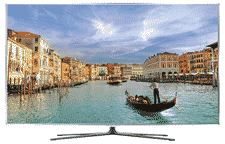
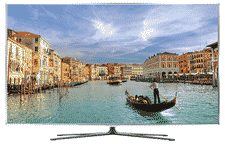
From an industrial design standpoint, there are good looking HDTVs and then there is Samsung's latest, the UN55D8000 3D LED HDTV reviewed here. Sadly, the good news stops there for in its quest for beauty, Samsung had to make some pretty big concessions when it came to the UN55D8000's performance. Retailing for $3,599.99 the UN55D8000 is the largest in Samsung's Ultra-Slim Bezel line, which according to Samsung creates a "virtually edgeless picture." One look at the UN55D8000 and you begin to understand what they're on about for it may be one of the truest statements ever muttered by a manufacturer when describing their own product. While there is technically a very narrow aluminum bezel surrounding the UN55D8000's 55-inch diagonal screen it doesn't really register visually; instead it appears as if someone has traced the outer edge of the screen with a Sharpie marker in order to indicate where the picture is supposed to end.
Additional Resources
• Read more 3D HDTV reviews from Home Theater Review's staff.
• See our LED HDTV Review section for more related reviews.
• Find a Blu-ray player to get the most out of the UN55D8000.
The display itself measures in at 48 and a half inches wide by nearly 28 inches tall and just over an inch deep where the UN55D8000 connects to its aluminum legs (base), which itself is 12 inches deep. The plate that attaches the legs to the display to facilitate table mounting can be removed to assist in wall mounting, which brings the UN55D8000's depth to less than an inch. It was difficult to get a precise measurement of the display's true depth and Samsung doesn't provide one on their website - suffice to say it was narrower than my iPhone when the two were placed side by side. Because the UN55D8000 takes its physical cues from Kate Moss, it should come as no surprise that it doesn't weigh much either, in fact without the stand this 55-inch beauty tips the scales at a meager 36 pounds. Attach its table stand and the UN55D8000's weight jumps to 41 pounds.
Aside from its physical appearance the UN55D8000 is a 55-inch 1920x1080 display with a reported contrast ratio of 25,000,000:1 (Dynamic) and 240Hz refresh rate, though Samsung does tout the UN55D8000's Clear Motion Rate (CMR), which they've attached a number of 960 to. According to Samsung, Clear Motion Rate goes beyond simple refresh rates (of which the UN55D8000's 240Hz is already quite good) and takes into account three factors: panel refresh rate, image processing speed and backlight technology. Using an algorithm that somehow takes all of the above factors into consideration, Samsung has come up with a number or CMR for the UN55D8000 of 960. 960 what? According to Samsung, CMR determines the thinnest line the display is capable of displaying on a moving image, so the thinner the line the higher the CMR number and the better the motion clarity. Of course Samsung is the only manufacturer to use the "CMR standard" because, well, they made it up. The display itself uses LED backlighting though its LEDs are located along the left and right edges of the set, which allows the UN55D8000 to keep its slim physique.
The UN55D8000 is 3D compatible employing Samsung's active 3D technology, meaning active shutter glasses will be required to view 3D content on the UN55D8000, which, since this review's initial publishing, are now included in the box from Samsung. That's right, Samsung now packages every UN55D8000 with two pairs of rechargeable, active shutter glasses. For more on the difference between the various 3D formats as well as how they work, please check out Home Theater Review's The ABCs of 3D: Key Terms You Need to Know.
As far as inputs go the UN55D8000 sports the usual suspects: four 3D compliant HDMI inputs, one component input, one PC (D-sub 15 Pin) input, a PC audio input (mini jack), Ethernet port, three USB 2.0 ports, a digital audio output and a single audio output (mini jack). Other features standard with the UN55D8000 include: Samsung's Smart TV with Apps interface, Built-in WiFi, AllShare DLNA Networking, Wide Color Enhancer Plus, Ultra Clear Panel, ConnectShare Movie, Skype, Anynet+ and Micro Dimming Plus. Samsung's Smart TV is basically their version or way of displaying Apps on your HDTV - Apps that include, but are not limited to: Netflix, Facebook, Twitter etc. The UN55D8000's Ultra Clear panel is said to absorb most ambient light, keeping the UN55D8000 from turning into a mirror when trying to watch your favorite HD programming. ConnectShare Movie is a fancy way of saying you can connect other Samsung devices to the UN55D8000. Lastly, Samsung's Micro Dimming Plus is Samsung's way of controlling the UN55D8000's LED back, I mean edge, lights so that it can boost their output or turn them off completely to preserve the image's integrity by essentially dividing the display into a series of sections and being able to control them independently. Sounds neat, as do a lot of the UN55D8000's touted features, but do they work?

The Hookup
Unboxing the UN55D8000 is a job for two people, not because the display is heavy, but because it's so thin and that once in hand it feels like you could literally fold it in half like a sheet of paper. Attaching the included base isn't difficult and in mere minutes my wife and I had the UN55D8000 out of its box and onto our Omni+ Vent table ready to connect to the rest of our home theater system.
Because of the UN55D8000's thin profile and side mounted HDMI inputs, my reference Transparent HDMI cables didn't work and I had to substitute in HDMI cables from Planet Waves, which featured 90-degree connectors and slightly narrower plastic surrounds compared to my Transparent HDMI cables. I connected my Sony universal 3D Blu-ray player, Apple TV and Dish Network HD DVR to the UN55D8000 via one-meter runs of Planet Waves HDMI cable.
Once everything was connected, it was time to get down to the business of calibration. Out of the box the Samsung will lead you through a few setup procedures that take no time at all and are necessary to ensure the UN55D8000's proper performance. The most important of these steps is the first one asking you if the UN55D8000 will be displayed in a store or in a home. Be sure to select "home", trust me. Once the initial setup procedures are out of the way it was time to pull up the UN55D8000's on-screen menus, which I must say are among the best in the industry. Right off the bat I disabled any and all dynamic contrast modes, auto motion or smooth motion processing, localized dimming - the works. Why? Because these features and features like them don't really enhance the visual experience the way manufacturers think they do; instead they alter it and in some ways downright ruin it. Furthermore, with respect to the UN55D8000's dynamic contrast modes, smooth motion processing and localized dimming - they're completely noticeable - in a bad way. The UN55D8000's localized dimming makes the display appear as if it can't make up its mind as to how bright it wants to be at any given moment, especially when viewing broadcast or streaming content.
Once the UN55D8000's many "features" were disabled, I inserted my Digital Video Essentials disc on Blu-ray and began calibrating the display. Out of the box the "Standard" picture mode is a pretty good jumping off point and required the least amount of tweaking using the DVE disc. I also went ahead and reset my levels and re-calibrated the UN55D8000 using Monster's HDTV Calibration Wizard disc to see if I could achieve similar if not identical results with a more cost effective solution, which I did.
Once calibrated, I connected the UN55D8000 to my home network via its built-in WiFi, which is more than just a little handy. Connecting to my home network was a snap and once connected allowed me to pull up the UN55D8000's dashboard, which keeps your source material visible in the upper left corner while showing you a bevy of options both App and straight Internet based in the UN55D8000's remaining real estate.
At this point I should probably talk about the UN55D8000's remote for a second. It's double sided and has a slight slope to its shape. On one side rests the UN55D8000's controls such as channel, volume etc. On the other side you'll find a full, though not full-size, QWERTY keyboard. I'm beginning to think that more and more remotes will feature QWERTY keyboards, though I've yet to encounter one that I like. The UN55D8000's remote comes the closest for me; however its shape is awkward and while I know why the remote has a slope to it - to facilitate typing - who is Samsung kidding? Plus, for whatever reasons these multi-tasking remotes seem to be more directional (though Samsung begs to differ) and require more force in order get them and the display to play nice with one another.
Performance
I began my evaluation of the UN55D8000 with a little NBA playoff action between the Miami Heat and the Chicago Bulls. Right off the bat what grabbed me most was the UN55D8000's ability to render colors so vividly. Colors, especially primary colors, were rendered brilliantly yet managed to feel natural at the same time. Fine details, such as the weave and subtle striping of the players' uniforms, were rendered with ease and visible from my viewing position roughly 10 feet away. Skin tones looked natural and possessed an appropriate amount of detail without looking overly sharp or worse - glossy. Contrast was great until I started focusing on some of the darker regions of the image in which case it was more or less average. Noise was kept to a minimum (remember, I was relying solely on the UN55D8000's internal video processing) and edge fidelity, again in the lighter regions of the image, was appropriately sharp. Motion was smooth and didn't require any fancy image interpolation or processing to remain smooth in the face of some of the more rapid whip pans and fast break shots.
Read more about the UN55B8000's performance on Page 2.

Wanting to see what was up with the UN55D8000's black level performance, I cued up Zodiac on Blu-ray (Paramount), which was shot digitally on the Viper camera system giving its blacks a slightly unique look. The film also has a rather subdued color palette that is a good test of contrast for any HDTV. Skipping ahead to the scene where Jake Gyllenhaal's character ventures into the basement of a suspect's home, it became clear what was wrong with the UN55D8000. The UN55D8000 simply can't reproduce blacks. I'm not saying its black level was more charcoal grey, I'm saying it's black level is non-existent. Sure it goes dark, even black, but in the absence of light another light becomes readily apparent, the UN55D8000's LED edge lights. The UN55D8000's LED edge lights are so visible during low light scenes that they actually cause light streaking from one side of the screen to the other. This anomaly in turn destroys the UN55D8000's contrast, especially in the darker regions, and makes for poor image uniformity. Even when the action returned top side and things brightened up a bit, the edge lights were still visible, creating a reverse vignette effect whereby the edges of the UN55D8000 were brighter than the center, which appeared more or less accurate. I'm certain, given the UN55D8000's poor black level performance that this is where some of Samsung's trick contrast and localized dimming features would help so I went ahead and re-engaged them. While they did help in some regards their presence was completely noticeable and equally distracting (seriously you can watch areas of the image go from bright to dark) as the UN55D8000's LED edge lights are without all the gimmicks. Furthermore, the UN55D8000 didn't like Zodiac's subdued color palette, for it had difficulty discerning between all the various earth tones and yellows featured throughout the film's production and costume design.
To see if it was Zodiac's digital pedigree that was throwing off the UN55D8000, I quickly cued up Pearl Harbor on Blu-ray (Disney) and skipped ahead to the scene between President Roosevelt, played by John Voight, and his war cabinet. This scene has a little bit of everything in terms of visuals, thanks to Director of Photography, John Scwartzman's brilliant cinematography. The characters sitting nearest to the windows in the scene were presented naturally with all the detail, contrast and natural tone one could ask for. The rest, seated opposite the window, weren't treated so well. Many of the generals clothing bled into the surrounding areas, making them appear more or less like floating heads. As for the UN55D8000's contrast in low light situations, it too failed. One of my tests for contrast in this scene is the difference between Voight's wardrobe and the wardrobe worn by actor Dan Aykroyd. Good HDTVs (and projectors) will show the weave, stitching and material of both despite their differences in color and lighting. Not the case with the UN55D8000, for Aykroyd appeared to be wearing a solid black suit where Voight's was merely medium grey, both of which were casualties of the UN55D8000's LED edge lighting.

Disappointed in the UN55D8000's performance with just about everything not made by Pixar or broadcast on one of the four major networks in HD I decided to test its 3D capabilities. Right off the bat, let me say this - I am not a fan of 3D and of the two current 3D formats, I dislike active 3D most of all. So, if you are a fan of 3D, especially active 3D, feel free to skip ahead for this isn't going to be pretty. I cued up Resident Evil: Afterlife on Blu-ray 3D (Sony), put on my pair of Samsung active 3D glasses and braced myself. I know many claim newer generation active 3D sets have improved over those available at 3D's launch, but I just don't see it for the whole presentation flickered, had ghosted and rainbow-like effects along the edges of characters and foreground elements alike. In fact, everything about the UN55D8000's 3D performance reminded me of those first generation, active 3D displays I reviewed a year ago. Nothing about the UN55D8000's 3D performance clicked for me and I had to stop watching after a mere 15 minutes for the experience became nauseating. Now, my experience with the UN55D8000's active 3D performance may not be your experience, for it's been shown that we all see 3D a bit differently and in some cases not at all. I will say this in praise of the UN55D8000's 3D performance: it's black level issues and edge lighting problems were less apparent, thanks in part to my calibration being thrown out the window by its internal video processor, for when viewing 3D content both the UN55D8000's brightness and contrast are automatically maxed out.
I ended my evaluation of the UN55D8000 with some streaming content courtesy of both my Apple TV and Samsung's own Smart TV platform. Things really went from bad to worse, for the UN55D8000 really isn't kind to standard definition material, never mind the highly compressed and often washed out visuals of streaming content. If you're big on Netflix streaming then the UN55D8000 is NOT for you, in fact I'd steer clear of any big screen employing the use of LED back or edge lighting if I'm honest. Truthfully, the UN55D8000's streaming performance and Internet capabilities are somewhat irrelevant, for its performance is just so limiting that I'm not sure it's worth owning the UN55D8000 for the few things it does right.
Competition and Comparison
With regards to its industrial design the UN55D8000 has no equal in my humble opinion, for as I said earlier in my review it's the best looking display I've ever seen in terms of its physical appearance. However, based on price and performance the UN55D8000 faces some stiff competition. The first challenger being Panasonic's VT25 Series of 3D plasmas, which come in sizes ranging from 50 to 65 inches and like the UN55D8000, the VT25 series utilize active shutter technology when it comes to 3D.
Another comparable 3D HDTV to consider is Toshiba's 55-inch 55WX800U LED HDTV. Retailing for a little less than the UN55D8000, the Toshiba features the same active shutter technology, is an edge lit LED design and has Internet capabilities too. However, unlike the UN55D8000, the Toshiba includes two pairs of active shutter glasses, which is a $340 value compared to the Samsung.
Lastly, there's Vizio and their new 65-inch, passive Theater 3D display. Retailing for the same money as the UN55D8000, the 65-inch Vizio includes four pairs of 3D glasses, is an edge lit LED design and, well, is ten inches larger than the UN55D8000. If the latest crop of passive 3D displays from Vizio are any indication of their big brother's performance - I'd say it's a better value.
For more information on 3D and 3D HDTVs, including the latest news and reviews please check out Home Theater Review's 3D HDTV page.

The Downside
The sad reality facing the UN55D8000 is the fact that despite its supermodel good looks, there's a lot wrong with its performance. For starters its LED edge lighting is too apparent, especially in low light scenes such as those found in Star Trek. Also, the UN55D8000's overall black level performance is okay at best, possessing deep rich blacks in some instances, often near the center of the screen, and charcoal grey blacks in others. Furthermore, the UN55D8000's black level performance was often rife with banding, streaking and had difficulty transitioning from dark to light. Now, I'm sure Samsung would argue that had I left some of their image features, including local dimming, on - the UN55D8000's black level performance would've been better. This very well might be true; however the local dimming feature was so noticeable in its operation that I consider it to be a downside and a feature not yet ready for primetime.
The UN55D8000's 3D performance wasn't as good, in my opinion, as some of today's passive 3D designs. Consumers and journalists seem split on which 3D technology is best, with half preferring active 3D and the rest siding with passive. I prefer passive, because I can see too much flicker when viewing 3D content via active glasses. Along with the excessive flicker, the UN55D8000's 3D performance had poor edge fidelity resulting in ghosted images and rainbow like effects throughout. I'm not 3D's biggest fan but realize that it has its place and that a lot of consumers like it, but I wasn't able to sit through an entire 3D movie when viewing it on the UN55D8000. It was nauseating.
The UN55D8000's screen wasn't as anti-glare as I had hoped for. During daytime viewing it wasn't hard to see myself reflected back in its 55-inch screen. In low light situations things improved, though if my wife turned on our living room lamp the reflections returned.
The UN55D8000's side-mounted HDMI inputs are also difficult to work with and may require special HDMI cables in order to get a proper connection. Luckily, I think cable companies are getting wise to the issue and are beginning to make LED HDTV-friendly HDMI cables.
Lastly, the UN55D8000's remote is cumbersome and because of its dual functionality, offering system control as well as a QWERTY keyboard, it manages not to succeed at either. Plus, I don't know why a lot of these dual function remotes require you to mash on the keys with everything you've got in order to get them to work.

Conclusion
So is there anything redeeming about the UN55D8000 performance? If you're a sports fan (think NBA or NHL) or watch nothing but romantic comedies on Blu-ray, then my friend - the UN55D8000 is tailor made for you. In fact, it's brilliant. If you like to watch films like The Dark Knight or shows like Deadliest Catch, then I'm afraid the UN55D8000 is going to disappoint, for its black level performance is not only poor, it's distracting. I won't even summarize its 3D performance for active 3D displays are simply not my bag. As for the remaining features shoe horned into the UN55D8000's narrow frame, they need a bit more time in the oven before I'd say they're ready.
I really wanted to like the UN55D8000, hell I bought it from my local Best Buy, at full retail, in hopes that it would become my new reference display. I mean - what's not to like? It has a beautiful form factor, Internet connectivity, 3D capability and looks brilliant with brightly photographed HD content - like what was being played in the store. So imagine our collective disappointment when I returned to the store and to the salesman who sold me the UN55D8000, so that I could return it. If you value function over form - you can do better than the UN55D8000.
Additional Resources
• Read more 3D HDTV reviews from Home Theater Review's staff.
• See our LED HDTV Review section for more related reviews.
• Find a Blu-ray player to get the most out of the UN55D8000.
