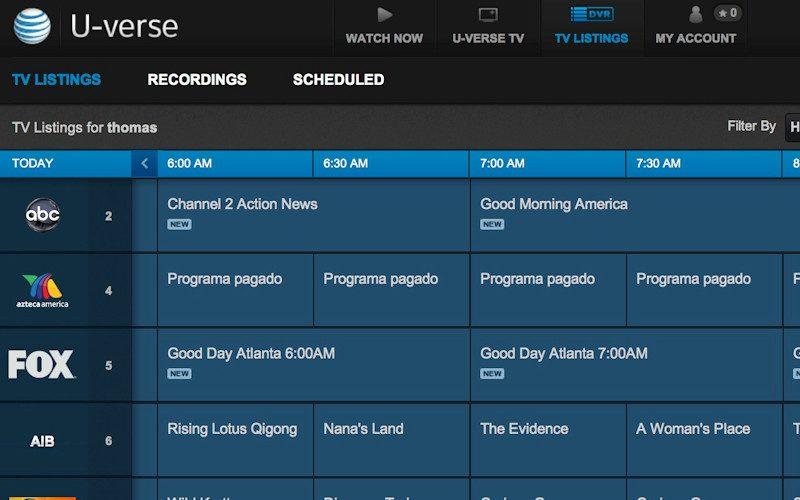
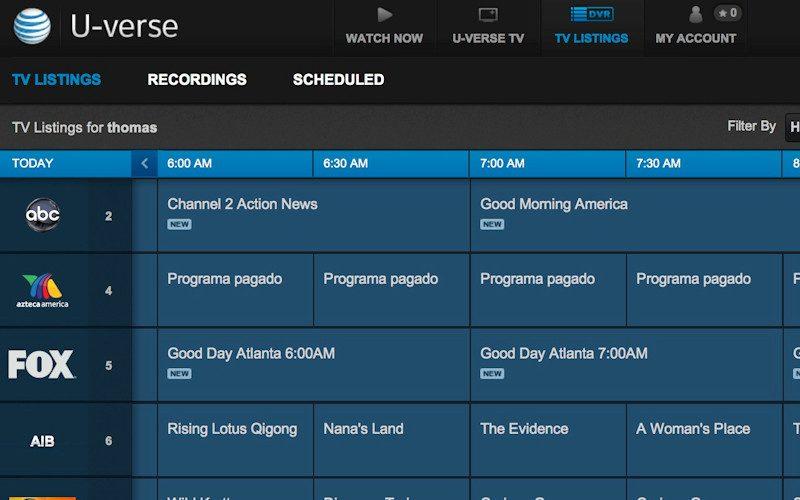
 Bundling one's entertainment services - be it television, Internet or phone - is all the rage these days. Every service from satellite to cable is seemingly offering an all-in-one solution in the hope of making your home entertainment more enjoyable and, if possible, more affordable. Enter AT&T, a relative newcomer to the space and their U-verse fiber optic based home entertainment and communication solution.
Additional Resources
U-verse, though fiber optic-based, is basically a broadband service that is capable of supplying high speed Internet, phone service and digital TV (both SD and HD) to the home. U-verse packages seem to fluctuate daily and even a quick stop over on AT&T's own website can often yield different prices and/or results depending on what page you happen to land on. I've seen prices starting as low as $20 a month for basic service up to almost $200 a month for an all-in-one bundle. Like all satellite or cable television services, be it SD or HD, prices can go up or down with the amount of premium channels or additional set top boxes or DVRs that you might require. AT&T U-verse is not available everywhere so be sure to check with an AT&T representative or online before placing your order.
In terms of my AT&T U-verse package, I ordered up their largest HD DVR (made by Motorola), which is a rather compact unit; roughly half the width of a standard DVD player but about the same height. Also as part of my package I received two additional set top boxes (non DVR) that can access the main DVR wirelessly, meaning all of your recorded programming is going to be centrally located when using AT&T U-verse, which is kind of nice. Visually and physically they are pretty much identical in every way. The front fascia features your standard on/off switch and three small lights that let you know if you're recording a show, watching an HD signal as well as receiving a signal at all. Next to the signal indicators there is a large circular control that allows you to manually control the set top box and access U-verse's menus but I'm not sure how many users would actually if ever use these controls. Around back you'll find your usual connection options such as composite and component video outputs accompanied by analog audio outs. There is a single HDMI output capable of transmitting HD video up to 1080i and Dolby Digital 5.1 audio signals. The DVR itself can record up to 233 hours of standard definition content or 65 hours of HD content or any combination thereof. The DVR itself can be controlled via remote or by your computer or mobile phone - and yes, that means your iPhone.
The Hookup
Well, like all satellite or cable services, AT&T U-verse is installed by a "professional" technician. I put the word professional in quotations because if you have a system that is more complex than a simple HDTV and perhaps also have a Blu-ray player, be prepared to offer some assistance in helping them install and hook up U-verse service in your home. My technician arrived almost an hour late; keep in mind his arrival window was between noon and 5pm on a Thursday afternoon. So at quarter to six he sauntered up to my door, no apology, no explanation - no problem.
While U-verse is a fiber optic-based service, the fiber optic part stops at a junction box located somewhere in your neighborhood (provided you're in AT&T's jurisdiction), which may or may not be close to your home. In my case the junction box is a mere two houses down. From the junction box the U-verse service is carried over traditional coax cable. I had Dish Network satellite service previously installed so the AT&T technician just patched into the cables from Dish Network which were already routed throughout my home.
I went ahead and ordered up the Full Monty package (not the actual name) from AT&T, which included high-speed Internet, phone and television service. I did this for two reasons: one, AT&T high speed Internet is the fastest connection I can get in my neighborhood and two, I wanted all of my services on one bill and thought I might as well save a couple of bucks on my phone bill and Internet by bundling. If you order up the all-in-one package like I did, the first thing your technician is going to want to install is the U-verse modem, which is the service's life's blood.
The modem is large and very much in charge and is easily double the size of my previous modem/router I had in my old condo. The modem has to be "centrally" located in the house for best results; however, my house doesn't really have a creamy wireless center so it had to make due with my home office, which is on the second floor at the rear of my house. Once the modem was installed he proceeded with connecting my new phone service, which is AT&T's version of Vonage if I'm honest. Sure it's one low monthly price with unlimited local and long distance calling, however if the modem fails - so does your ability to make phone calls. More on that later. With the Internet and phone service installed it was time to get down to business and install the HDTV portion of the U-verse service.
The technician positioned himself in front of my projection screen and asked me where all the wires were. I was as confused as he was at first, then I realized he thought that my motorized drop down screen was, in fact, a large LCD HDTV. I kindly showed him to my equipment rack, which rested in a custom closet at the back of the room. He stared at it for a good five minutes before letting me know that he wasn't qualified to work on such a system. I told him I would help him with anything he needed and relieved him of any liability should something go awry. I pulled the rack out from its cocoon and turned it 180 degrees, exposing the business end of my multi-room system.
He preceded to try and install the U-verse HD DVR atop my Mark Levinson No 433 amplifier because it had the greatest amount of space above it to allow for proper ventilation for the DVR. I guess to hell with the No 433's need for ventilation. I politely relocated the DVR to its own shelf towards the top of the rack and urged the technician to continue. He continued by simply connecting the existing Dish Network cables (remember, U-verse enters the house via existing coax cables) already run to my rack to the back of the DVR and stepped back to admire his handy work. He repeated the steps for the DVR in my master bedroom and began to do the same in my home office; when I told him I wanted the DVR in the office to reside in the closet he said "no problem."
No problem in the eyes of AT&T and their crack team of installers must mean "drill baby drill" because that is precisely what he did. He busted out a power drill with what looked to be an auger-sized bit and punched a hole in my wall a good inch in diameter to run a quarter inch coax cable from my master bedroom to my home office closet. I was speechless. He connected the remaining DVR to my home office system and began to pack up his things.
Start to finish, the technician was in my home for roughly two hours and before he left he asked if I'd give him a demo of my theater because I was his last stop of the day and he didn't have to be anywhere that evening. Sorry - I did, and because of his tardiness I was already running late.
With the technician barely a memory in my mind I surveyed the damage. Cables were not routed cleanly and by cleanly I mean not at all. He left three remotes and a channel guide on my kitchen table and a host of bits and pieces here and there strewn throughout the house. Parting contestants receive a poke in the eye, I guess.
Initial Impressions
Since I was left to become familiar with U-verse on my own I powered up the main HD DVR in my reference system and began navigating the setup menus, which are buried in the system's guide menus for some unknown reason. I let the little HD DVR know that it was connected to a 16:9 display (default is 4:3). I set the DVR to output HD signals at 1080i (default is 480i) and Dolby Digital surround.
From there I began channel surfing. I ordered the maximum number of HD channels, not including the premium movie channels such as HBO, Showtime etc., and found that I had gained quite a few new channels but lost quite a few as well. In the year since its initial installation AT&T has upgraded its HD channel selection and is now competitive with all the major service providers.
One of the things U-verse prides themselves on is the ability to watch multiple HD feeds at once. My old Dish Network service allowed me to watch or record two separate HD programs simultaneously, so I was excited to learn that U-verse added an the ability to watch a third HD feed, however upon testing I realized this was not the case. If you want to watch live HD programming you are limited to two channels. Where the third channel comes into play is if you want to watch an already recorded HD program. Say for instance you're recording 24 in HD on Fox and at the same time are recording Deadliest Catch in HD on The Discovery Channel. If you want to watch the NBA finals while these two shows are recording you're out of luck because they count as two simultaneous HD feeds even though you're not watching them live, so you'll be forced to either stop one of the recordings or watch your beloved NBA in SD. You can have three HD feeds going at once only if one of your HDTVs is tuned into an already recorded show, which resides on the central HD DVR. In a nutshell, U-verse is no different than my old Dish Network service in this regard. Boo. Side note: AT&T claims on their website that you can watch four shows at once on a single DVR; this is true provided that at least two of those shows are being watched in SD.
Another thing that U-verse touts is its ability to pause a show in one room and pick it up in another right where you left off. Cool right? Sure, so long as you keep in mind that the feed is being transmitted wirelessly and depending on what type of mood the modem/router is in will dictate how quickly that transaction is. In all fairness it works most of the time;, however it can sometimes take a while before the show begins playing on the alternate or secondary display.
Apart from those little quirks, U-verse works much in the same way as my old Dish Network service and my DirectTV service before that. Even the remote is decidedly Dish Network-like. The menus are easy to read, though the On Demand service/interface is troublesome and frankly a joke, but all-in-all U-verse really isn't that different from the competition. Minus one small caveat...
Performance
Because U-verse, especially bundled the way I have it installed, is all being sent over the same "pipe" the image quality sucks. I won't even get into SD programming. Suffice to say if you're thinking about picking up U-verse to watch on your 27-inch Panasonic CRT set, I say skip it and save your money and watch TV via your laptop on Hulu, for you'll be far better off. As for its HD performance, U-verse is about as bad as I've seen in a long while and I've now had every major HD service provider there is in Southern California.
Read more about AT&T U-verse's performance on Page 2.
Watching Deadliest Catch (Discovery) on Discovery HD is a nightmare. Discovery HD isn't what I'd call a shoestring HD operation, though if you had to judge it on its performance via U-verse you'd swear they filmed their programming with a store bought Flip camera. Nothing against the Flip camera, personally I think they're cool, but HD broadcast quality they're not. Deadliest Catch on Discovery HD is so insanely compressed that at times it appears as if they're catching red Legos and piloting through rough seas comprised of wet chunks of sand versus the turbulent waters of the Bering Sea. Black levels are deep, but banding and pixilation are out of control, not to mention there is zero detail throughout and almost no natural transition from light to dark. Colors are saturated and natural, which I guess is good; however there are so many appalling issues with the image elsewhere that you almost don't notice. Running the U-verse signal through a video processor like the one in my Integra receiver does little to correct the impressionistic mess and when I stepped up my game and installed my DVDO Edge video processor, the end results were only marginally better.
Changing channels to Fox in HD, I sat down for the latest episode of 24. Once again, the same errors were present; however they were not as frequent, instead replaced by a whole host of new problems. Image skip and pause has plagued my U-verse service since it was installed almost a year ago. Now programs on Fox seem more susceptible than others. When I say the image skips - I mean it skips. It freezes, sometimes for minutes at a time; all the while the audio continues to play. When the image finally does rebound, it's not in sync with the audio and the only way to correct the error is to change the channel and then return to it. The audio signal is average at best and too is prone to skipping, sudden dropouts and/or sync issues. I guess AT&T HD service was designed and modeled after their cellular service, which anyone with an iPhone will tell you sucks.
The problems became so bad that my fiancée, who is usually rather chill, took to throwing pillows at my rack in utter disgust when she couldn't make it through a single episode of Iron Chef on Food Network HD without the U-verse service skipping, distorting or refusing to play altogether.
The Hookup Part 2
Of course I called AT&T U-verse technical support to try and correct the issue. The first solution the phone-based technician could offer me was to unplug the boxes from the wall, count to ten and then plug them back in again. Really?!? Of course this nugget of genius was offered up only AFTER they asked me if my TV was plugged in. Oh, I could kill at this point. Of course unplugging the DVRs and receivers didn't solve anything except cause some of them to no longer sync with the main DVR, in which case the tech recommended I unplug the units again and try again. I demanded a technician be sent to my home immediately, like within 24 hours; however none were available for up to seven days.
With my appointment scheduled, I waited and sat through some of the worst HD signals this side of a first generation AppleTV. The technician arrived late as per usual, and proceeded to rip out every U-verse component in my home and replace them with new ones. He said they had done some "updates" across the board, but near as I can tell everything was the same only fresh out of the box. This time the technician stayed for ten minutes to try and see the issue first hand. We surfed through every HD channel I had at my disposal and found no anomalies. Satisfied, the technician left and I sat down to what I thought was going to be crystal clear HD programming.
Boy, was I wrong.
Performance Part 2
About a week later I sat down for some Thursday night viewing and cued up FlashForward (ABC) and made it about a half hour into the hour-long drama before disaster struck again. This time it was worse than before. At one point the skipping and freezing got so bad that it actually crashed the entire system, taking the Internet and our phone service with it as collateral damage. Unable to call AT&T for help we had to wait it out. Two hours later the service resumed.
I don't need to go into any more detail about the quality of the image or signal, for you never get to watch an entire show long enough unmolested for it to matter. When it works, it's nowhere near as good as satellite HD from Dish Network or DirectTV and while it pains me to say this - U-verse can't hold a candle to Time Warner or Comcast cable either.
I know that Home Theater Review is a home theater publication and not one that often comments on broadband or phone services. But since U-verse is largely pushed as an all-in-one entertainment/communication solution, I feel I also need to comment on their high-speed Internet and phone service.
The U-verse Internet is really the star of the entire package, which is why it can be ordered as a standalone service. When it's on, it's on and works well and at lightening speeds. Watching online movies via Hulu is instant with zero issues. Downloads via iTunes happen at record pace and allow for even HD rentals to begin playing within seconds, not minutes, of being purchased. That being said, the U-verse Internet service is temperamental and the modem/router is a complete piece of shit. Since having U-verse installed some 12 months ago I've gone through three modems/routers with each one working beautifully for a period of three months before failing catastrophically. Remember, when the modem/router begins to go so does EVERYTHING else.
The U-verse phone service is horrid and possibly the only thing worse than their HD and SD broadcast packages. Calls are riddled with noise and distortion making even local calls sound as if you were making them from a cave in Afghanistan. Can you hear me now? Nope, I've got AT&T. Beyond the quality of the U-verse phone service is the fact that it is 100 percent tethered to the Internet and U-verse's craptastic modem/router means its not really safe in an emergency. My house is a dead zone for all cell phones so when the wildfires hit my area last year and disrupted many if not all communication services, AT&T included, I was unable to stay on top of the situation or call for updates. Since I was trying to save money I didn't keep my landline, which I've since reinstated for emergencies or sudden AT&T service drop outs, which really does defeat the purpose of getting the U-verse bundle in the first place.
All in all, in my year-long abusive relationship with AT&T U-verse I've gone through two sets of DVRs, three modems and six cordless telephones. In return I've been comped free HBO for three months (it skipped like jump rope) and have had my Internet service upgraded to the fastest package, which completely wiped out my second modem/router, bringing me to lucky number three. On the plus side, I watch a lot less TV, spend less time on the phone and am forced to take breaks from my various online duties from time to time, so it's not all bad I suppose. Maybe I'm looking at this the wrong way, maybe it's not that AT&T U-verse is the entertainment equivalent of swine flu; maybe it's that AT&T wants to make sure its customers have time for their other hobbies like reading or enjoying a real sunset instead of watching one on Sunrise Earth on Discovery HD.
The Downside
I must say I'm struggling with this part of the review for as you can probably tell, just about everything regarding U-verse, in my experience, is a downside. However there are some hurdles that I haven't covered which are downsides if you're thinking about torturing yourself by signing up for this worthless service.
First, AT&T U-verse, like their cellular service, is not offered everywhere. In fact, minus my immediate area, I'm not sure where else in the US it is offered. Wait, that's a plus side.
Second, if you think AT&T U-verse is going to save you money, I'd urge you to take a second look at your math. If you're looking to get what you can get from, say, Dish Network in terms of HD programming and equipment you have to go for AT&T's largest package, which is actually more expensive. If you don't care about HD programming or the ability to record large quantities of television I guess U-verse can be a touch more economical but as soon as you begin to bundle your Internet and phone services with your U-verse package it costs about the same as everyone else. However, near as I can tell or remember, the U-verse Internet service, on its own, is cheaper and faster than the competition.
Lastly, the U-verse on-demand portion of their service is nowhere near as good or as comprehensive as say Time Warner cable. Where as Time Warner On Demand almost made recording shows obsolete, for their line up of shows was so vast, AT&T U-verse's On Demand resembles the 99-cent DVD bin at a Wal-Mart; packed to the brim with crap you wouldn't watch in the first place.
Conclusion
By now I think my feelings about AT&T U-verse are crystal clear. It's plagued with issues and offers up lackluster performance. The tech support is a complete joke and the other services like its high-speed Internet and telephone are great in short spurts but are as reliable as 1980's era British roadster.
By now you're probably wondering why I stuck with AT&T U-verse all this time if it was so unbearably bad. Truth be told, while I've had it for a year, I didn't completely ditch my Dish Network service and have actually bounced back and forth between the two all year in hopes of U-verse getting better so that I could stick with it and write a better, more positive review.
I want to like U-verse, I truly do, but if given the choice between it or a swift kick in the family jewels with a steel toe boot, I think I'd chose the latter for the pain and anguish would be over sooner. Maybe there are those of you out there with U-verse that have had better luck than I, but I can't recommend you stay away from AT&T U-verse more enthusiastically.
Additional Resources